> ## Documentation Index
> Fetch the complete documentation index at: https://docs.turso.tech/llms.txt
> Use this file to discover all available pages before exploring further.
# Turso + Koyeb
> Deploy a JavaScript/Rust app using [Turso Cloud embedded replicas](/features/embedded-replicas) to [Koyeb](https://www.koyeb.com/).
 ## Prerequisites
Before you start, make sure you:
* [Install the Turso CLI](/cli/installation)
* [Sign up or login to Turso Cloud](/cli/authentication#signup)
* Have a Koyeb account - [create one](https://app.koyeb.com/)
You will need an existing database to continue. If you don't have one, [create one](/quickstart).
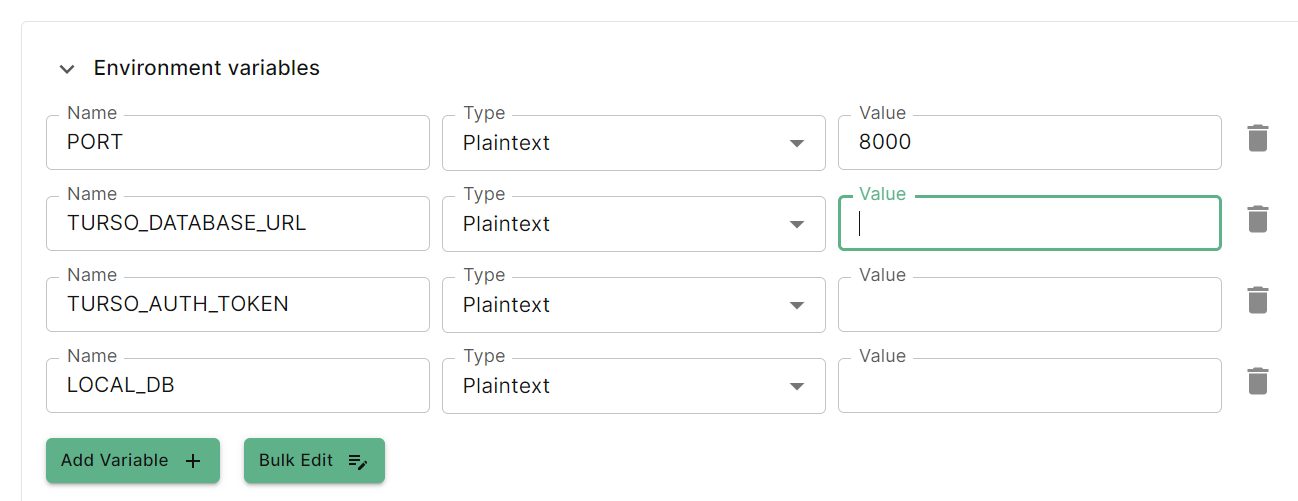
You will want to store these as environment variables.
Fork one of the following embedded replica project from GitHub
See the full source code
See the full source code
Or, you can:
1. Create a new app in the Koyeb control panel.
2. Select GitHub as the deployment option.
3. Import the GitHub project to Koyeb.
## Prerequisites
Before you start, make sure you:
* [Install the Turso CLI](/cli/installation)
* [Sign up or login to Turso Cloud](/cli/authentication#signup)
* Have a Koyeb account - [create one](https://app.koyeb.com/)
You will need an existing database to continue. If you don't have one, [create one](/quickstart).
You will want to store these as environment variables.
Fork one of the following embedded replica project from GitHub
See the full source code
See the full source code
Or, you can:
1. Create a new app in the Koyeb control panel.
2. Select GitHub as the deployment option.
3. Import the GitHub project to Koyeb.
 Click the **Deploy** button at the bottom to deploy your web service.